


Accessibility Resolution Playbook: How to Fix and Prevent Issues at Velocity

Playbook
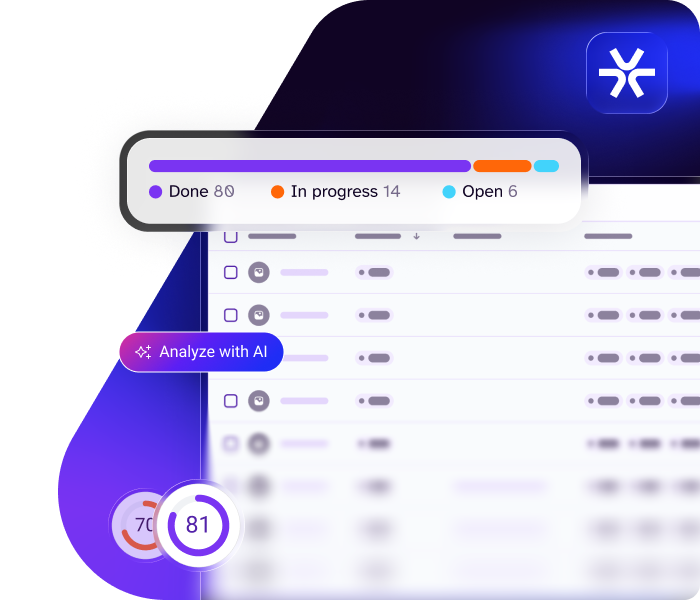
Fixing accessibility issues is where progress breaks down—where backlogs grow, releases slow, and teams lose momentum.
Even when teams have a reliable way to find issues, the path from “found” to “fixed” isn’t always clear, consistent, or shared.
Instead, teams make judgment calls, fixes vary in quality, and the same issues continue to resurface. Product roadmaps slip as developers struggle to clear ever-growing backlogs. This recurring patten is what we call the resolution gap. And it isn’t just frustrating, it’s expensive.
So, what exactly is the resolution gap? And how do you close it—without derailing everything else?
This playbook breaks it all down, so you can fix issues faster, prevent new ones from emerging, and make accessibility a catalyst for delivery, not a bottleneck.
What is the resolution gap?
The resolution gap is the disconnect between finding accessibility issues and resolving them in a way that’s efficient, consistent, and sustainable.
It’s where progress breaks down. Issues pile up in backlogs. And the same problems resurface across sprints, content updates, and product versions, often at the worst possible moments: post-sign-off, or after launch, when they create real-world barriers for users and costly rework for teams.
It can feel like one step forward, two steps back. A ticket is closed, only for a variation of the same issue to return a few sprints later. Remediation can’t keep pace with testing, and the backlog grows faster than teams can clear it.
Put simply:
- What’s found isn’t always what’s fixed.
- What’s fixed doesn’t always stay fixed.
Does your organization have a resolution gap?
The resolution gap is far more common than most teams realize. In our Seventh Annual State of Digital Accessibility Report, developers named “insufficient time to address issues” as their number‑one challenge. Despite increased adoption of testing tools, the percentage of homepages with accessibility errors has barely shifted, remaining above 94% since 2019, according to WebAIM.
It’s clear that teams are finding issues faster than they can fix them.
Are you grappling with the same challenge? Warning signs you may have a resolution gap include:
- You’re fixing issues, but the backlog keeps growing.
- Accessibility problems surface late and trigger last‑minute scrambles.
- Launches slip because issues weren’t resolved early enough.
- The same problems keep resurfacing across teams or releases.
- Teams treat accessibility as extra work rather than part of their day-to-day workflows.
If even one of these feels familiar, you’re likely dealing with a resolution gap.
What's causing the resolution gap?
The resolution gap isn’t caused by a single failure or a process flaw. It’s a slow leak, draining time, confidence and momentum from teams who are already stretched. When issues are left unaddressed, the impact compounds: delivery stalls, quality slips, and customers experience barriers when engaging with your product.
The following pressure points are where the leak starts. Use these as diagnostic checkpoints to pinpoint where your process might be slipping.
Are your fixes happening outside normal workflows?
When remediation sits outside the tools and processes teams use every day, everything slows down. Work gets fragmented. Context gets lost. Accessibility becomes a side‑task no one has time for, and teams feel the drag of switching tools, chasing information, and trying to stitch fixes together.
Are issues surfacing too late?
When problems are discovered at the end of a sprint or close to release, teams are forced into firefighting mode, making rushed decisions under pressure. Quality suffers, trust and morale erode, and the same issues are more likely to return in future releases.
Do teams agree on what “done” looks like?
When “done” is subjective, teams unintentionally ship risk. One person fixes the symptom. Another fixes the side effect. No one fixes the root cause. The result is a cycle of déjà vu—the same issues resurfacing, the backlog swelling, and teams feeling like they’re running hard but not moving forward. Without shared clarity, consistency becomes impossible and confidence takes a hit.
What are the consequences of the resolution gap?
Left unaddressed, the resolution gap can make accessibility a much heavier lift than it should be for teams—but the fallout reaches far beyond accessibility alone. It can also hurt your brand, your users, and your bottom line.

Operational strain
Late-stage fixes pull teams into ongoing cycles of rework. Time and effort are redirected away from progress, strategic work gets sidelined, delivery slows, and teams are stretched thinner with every sprint.

Rising costs
The longer issues remain unresolved, the more expensive they become to fix. Every regression adds cost without adding progress—a drain that finance teams quickly notice.

Unpredictable product roadmaps
When teams are constantly reacting to issues, planning becomes impossible. Releases slip, priorities shift, and roadmaps are reshuffled.

Barriers in the user experience
Unresolved issues create inconsistent and frustrating experiences for users with disabilities. Over time, this weakens product quality, undermining trust in your brand.

Increased legal and regulatory exposure
When accessibility issues linger, organizations remain vulnerable to demand letters, lawsuits, and regulatory complaints, which can have financial and reputational impact.
How to close the resolution gap
Closing the resolution gap requires two efforts running in parallel:
- Clearing the backlog of existing accessibility issues
- Preventing new issues from being created
Both are vital, but for many teams, the most practical place to start is the backlog. Reducing the volume of unresolved issues creates the opportunity teams need to build accessibility into delivery going forward. Use the following framework to move from bottlenecks and barriers to predictable, scalable delivery.
Not all issues are equal, and severity alone won’t tell you what to fix first. How you prioritize issues depends on your organization’s accessibility goals:
- Business commitments: Are you delivering on business commitments, like producing a favorable Voluntary Product Accessibility Template (VPAT®) / Accessibility Conformance Report (ACR) for procurement?
- User impact: Are you trying to provide the best possible experience for users with disabilities?
- Legal risk: Are you trying to minimize legal exposure?
Aligning on a general framework for prioritization will help you make consistent decisions about what to fix next.
For teams earlier in their accessibility journey, momentum matters just as much as precision. Quick wins that are easy to fix and have tangible impact can help build progress and confidence, while more complex issues are worked through over time.
What this means in practice:
- Align on what matters most: business commitments (VPAT® / ACR), user impact, or legal risk.
- Prioritize a mix of high-impact issues and quick wins to build early momentum.
- Establish a simple, shared approach to prioritization that teams can apply consistently.
- Use data to refine your prioritization lens over time as you learn what slows teams down.
- Document and communicate your prioritization criteria internally so everyone understands how decisions are made.
How Level Access can help
The Level Access Platform helps organizations automatically organize findings by severity and surface the issues with the greatest impact to give teams a clear understanding of what to tackle first.
Accessibility issues rarely exist in isolation. They repeat across shared components, patterns, and templates. Fixing these at the source allows teams to resolve entire clusters of issues in a single effort, reducing rework and accelerating progress.
What this means in practice:
- Identify components, patterns, and templates used across your product.
- Pinpoint where the same accessibility issues appear repeatedly.
- Fix and validate those shared elements at the source.
- Roll improvements out broadly so every instance benefits.
How Level Access can help
Use capabilities like Common Findings to surface patterns in issues across assets, so teams can apply consistent fixes at scale.
For remediation to be sustainable, it needs to be embedded into how teams design, build, and ship, not handled separately. When remediation sits outside everyday workflows, it slows progress or gets deprioritized.
Embedding checks and guidance across the life cycle will allow teams to catch issues earlier, reduce rework, and prevent new accessibility debt from being introduced.
What this means in practice:
- Establish a clear workflow for how issues move from backlog to fix to validation.
- Integrate accessibility into planning and delivery across design, development, and content creation.
- Capture insights and recurring patterns so teams improve with each cycle.
How Level Access can help
The Level Access Platform surfaces accessibility guidance where day-to-day work happens, enabling:
- Design teams to identify and address issues early using tools like Design Companion, which surfaces accessibility issues directly within design frames and provide clear guidance to help teams make informed decisions as they design.
- Developers to catch and prevent regressions with Level CI. Through its MCP server integration, that same data can be reused directly in the remediation process, so issues can be resolved quickly, in the flow of development.
- Content teams to create accessible content from first draft to publication with LevelDocs, producing compliant Word documents and exporting accessible PDFs, all within the familiar Microsoft Office environment.
As remediation scales, consistency becomes the challenge. Different teams interpret issues differently or define “done” in their own way. Without shared expectations, fixes become uneven, quality drops, and issues start to resurface.
The goal is to create a shared definition of what “good” means, so teams are aligned, producing consistent, repeatable outcomes.
What this means in practice:
- Establish and agree on what “fixed” means through clear, shared acceptance criteria.
- Define and document roles and responsibilities across teams.
- Align design, content, development, QA, and product teams on the appropriate approach to remediation.
- Secure leadership support to reinforce expectations and maintain momentum.
- Establish a cross-functional working group or governance body to maintain alignment and accountability.
How Level Access can help
Level Access experts help you set clear expectations, align teams, and embed governance, so remediation becomes consistent, repeatable, and built into how work gets done.
Consistent remediation depends on how well-equipped teams are. When guidance is hard to find or tools sit outside everyday workflows, fixes are slower, less reliable, and harder to reproduce.
Remove any friction by giving teams the support, clarity, and guardrails they need to deliver accessible experiences without guesswork.
What this means in practice:
- Provide in-workflow guidance and validation with automated quality gates like those in Level CI, so teams get feedback and prevent issues as they build.
- Use AI support where it reduces effort and speeds up decision‑making.
- Maintain a clear source of truth through design systems, patterns, and checklists.
- Centralize support channels, training, and resources so teams have clear signposts and know exactly where to go when they need help.
You can’t manage what you can’t measure. Regular reporting can help you understand what’s moving forward, what’s stuck, and where teams need to adjust. It’s important to not only track activity, but to also understand whether team capability is improving and remediation is becoming more efficient over time.
What this means in practice:
- Track core remediation metrics such as issues resolved, repeat issues, and time to resolution.
- Monitor signals of expanding team capability, such as reduced reliance on accessibility leads and fewer review cycles or support requests.
- Identify patterns in recurring problems to address root causes.
- Map accessibility improvements to usability metrics (e.g., task success, time to completion, error recovery, and speed) and connect them to broader business KPIs.
- Use insights to refine guidance, workflows, and priorities.
- Enable champions, project managers, and team leads to measure and act on progress directly within their workflows, using tools like the Reporting Agent.
This is where backlog clearance becomes long‑term progress. Every resolved issue is an opportunity to reduce future effort. When learnings are fed back into systems, workflows, and teams, issues stop repeating and start disappearing earlier in the life cycle.
The goal is to turn remediation into prevention, closing the loop between what’s fixed and how products are designed, built, and experienced.
What this means in practice:
- Feed learnings into shared components, patterns, and templates.
- Update documentation, standards, and guidance to reflect validated solutions.
- Use resolved issues as opportunities for targeted training and upskilling.
- Gain insights from people with disabilities in usability testing, ensuring feedback is gathered in flow, rather than only at final validation.
- Improve team practices and automation to prevent repeat failures.
- Train AI and tools on validated, accessible solutions.
Accessibility
resolution in practice
Case study

How Entrepreneur Media closed their resolution gap and accelerated accessibility
When Entrepreneur Media set out to improve accessibility, progress was slowed by a familiar problem: too much manual effort, owned by too few people. Accessibility work sat largely with one individual, with hours spent on triage, documentation, and ticket creation, leaving little time to resolve issues. The resolution gap had outpaced the way they were working.
After adopting the Level Access Platform, the team was able to prioritize issues more efficiently. Workflow tools surfaced high‑priority findings automatically, including critical issues emerging in new content, allowing the team to group, assign, and act on them with far less manual effort.
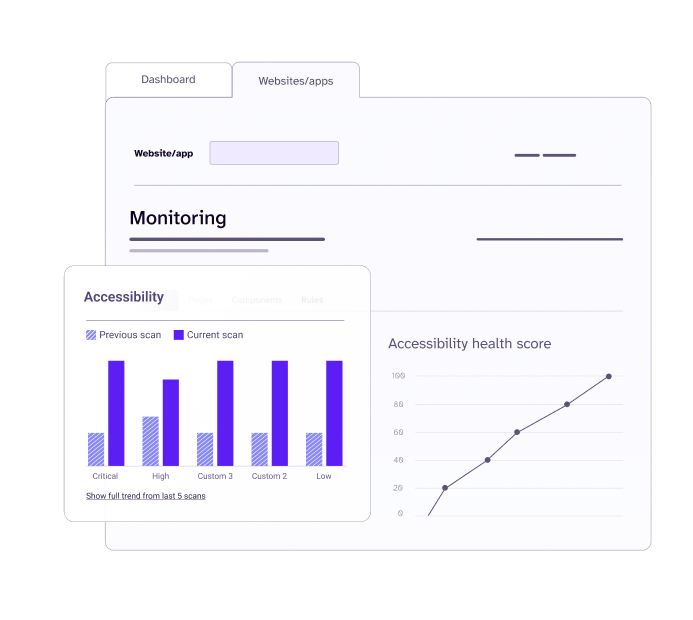
"The Level Access Platform put time back in my day. Instead of spending hours navigating between multiple systems, I can sort test results and triage issues right in the platform. Our program is much more efficient as a result."

Enterprenuer Media’s accessibility wins:
-

Cut accessibility admin time by 50%, freeing up capacity for remediation
-

Resolved 60% of issues in three months with streamlined development workflows
-

Expanded ownership beyond one contributor, enabling wider team collaboration
-

Improved visibility and accountability with shared tracking and reporting
Make accessibility the driver of delivery
With the right approach, accessibility doesn’t slow delivery. It strengthens it.
Close the resolution gap to make accessibility a catalyst for delivery, reducing rework, preventing new issues from emerging, and making progress easier to sustain over time.
Understand what to fix first
Reactive fixes → Prevention by design.
Repeating issues → Sustainable resolutions.
Isolated effort → Shared capabilities across teams.
Treating accessibility as a checkpoint → Accessibility embedded into delivery.
Additional resources to help you close the resolution gap:
 Featured resource
Dev-First Accessibility: How to Fix Issues In-Flow
In-flow accessibility helps teams fix issues in context and prevent backlogs. Learn how to embed accessibility in your workflows.
Learn more Dev-First Accessibility: How to Fix Issues In-Flow

The Hidden Cost of Accessibility Debt and How to Surface It Sooner
PopularAccessibility debt slows teams down and increases rework. Learn why reactive fixes fail and how engineering accessibility into systems improves velocity.
Learn more The Hidden Cost of Accessibility Debt and How to Surface It Sooner
Why Accessibility Belongs in Your CI/CD Pipeline
PopularLearn why reactive accessibility is expensive and inefficient—and how AI-powered tools like Level CI help development leaders ship inclusive products faster.
Learn more Why Accessibility Belongs in Your CI/CD Pipeline
Webinar | In-Flow Accessibility: Prevent Backlogs, Increase Velocity
PopularIn this practical session for development leaders, you’ll gain insight on how a proactive approach to accessibility saves time and money.
Learn more Webinar | In-Flow Accessibility: Prevent Backlogs, Increase Velocity